

Protect your users with top-tier security features that are easy to deploy and manage
As cyber threats grow costlier to businesses, having the right IT security tools in place is essential. N‑able™ N‑central® gives you powerful security features with maximum flexibility. With the award-winning Bitdefender engine for antivirus and antimalware, configurable two-way firewalls, content filtering, ransomware protection, application controls, and user controls, Security Manager provides the tools you need to help combat today’s cyber threats. When used in combination with Backup Manager and N‑able Risk Intelligence, you can offer a full layered security solution to help protect your customers before, during, and after cyberattacks.

Get advanced protection
- Signature-based scans: Scan your systems using the most up-to-date virus definitions to help defend against the latest malware threats.
- Rule-based and behavioral scans: Supplement traditional signature-based scans with an antivirus that detects programs and files that perform actions similar to viruses. This helps to protect you against emerging, undiscovered malware.
- Proactive notifications: Receive updates and notifications in near real-time, as well as in-depth reports across your endpoints. If a malware infection occurs, these notifications can help you remedy the situation quickly.

Go beyond antivirus
- Firewall: Help protect your clients’ networks against incoming threats with fully configurable, two-way firewalls.
- Web content filtering: Help keep users safe from malicious sites by filtering based on content categories.
- Application control: Block software programs across your network to help improve productivity and prevent users from installing unsecure applications.
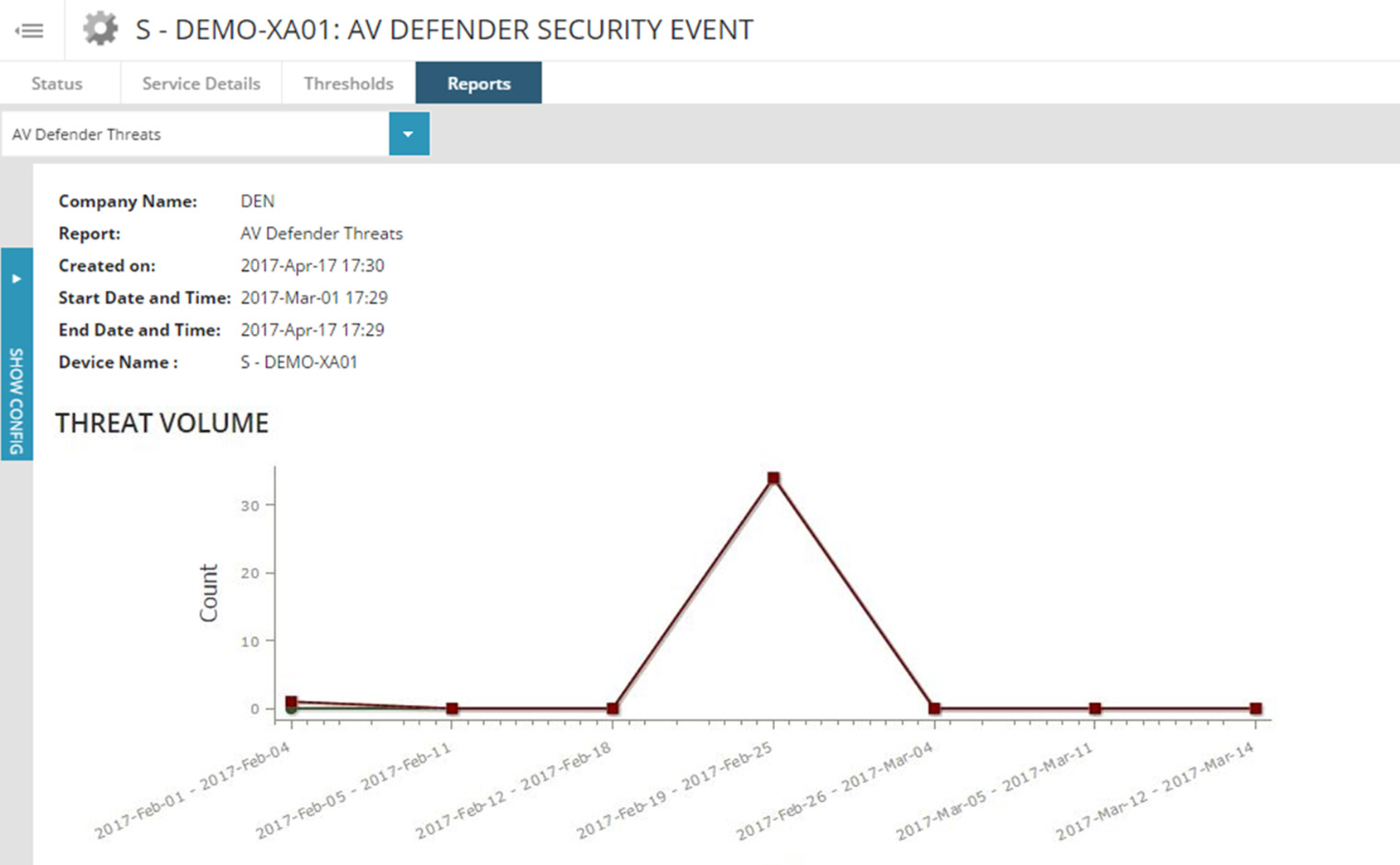
- Reporting: Get some of the latest data on new threats detected by Security Manager. Additionally, we provide easy-to-access reports on AV installation status, making it easier to help you protect your customers’ devices.
- Report Manager: Security Manager is fully integrated with Report Manager, which allows you to create custom branded reports to demonstrate your value to customers.
- Disk Encryption Manager: In combination with N‑able Security Manager – Disk Encryption Manager is an efficient way to manage, monitor, and report on customers’ device encryption requirements. The new module is managed from the same console that customers or MSPs are using today.

Deploy and Configure with Ease
- Profiles: Create profiles to apply specific tasks to endpoints or servers, including antivirus installations and updates, scan schedules, virus definition downloads, and more.
- Auto deployment: Install antivirus on endpoints across multiple sites in bulk. Additionally, you can make the deployment process even smoother by leveraging default deployment rules or creating your own custom deployment rules.
- Competitive uninstall: Save time by having the system automatically uninstall competitive AV products, preventing installation conflicts.
Try N‑able N‑central today
Try the powerful, customizable remote monitoring and management platform for free.