
A Solid IT Disaster Recovery Plan Guide

By N-able
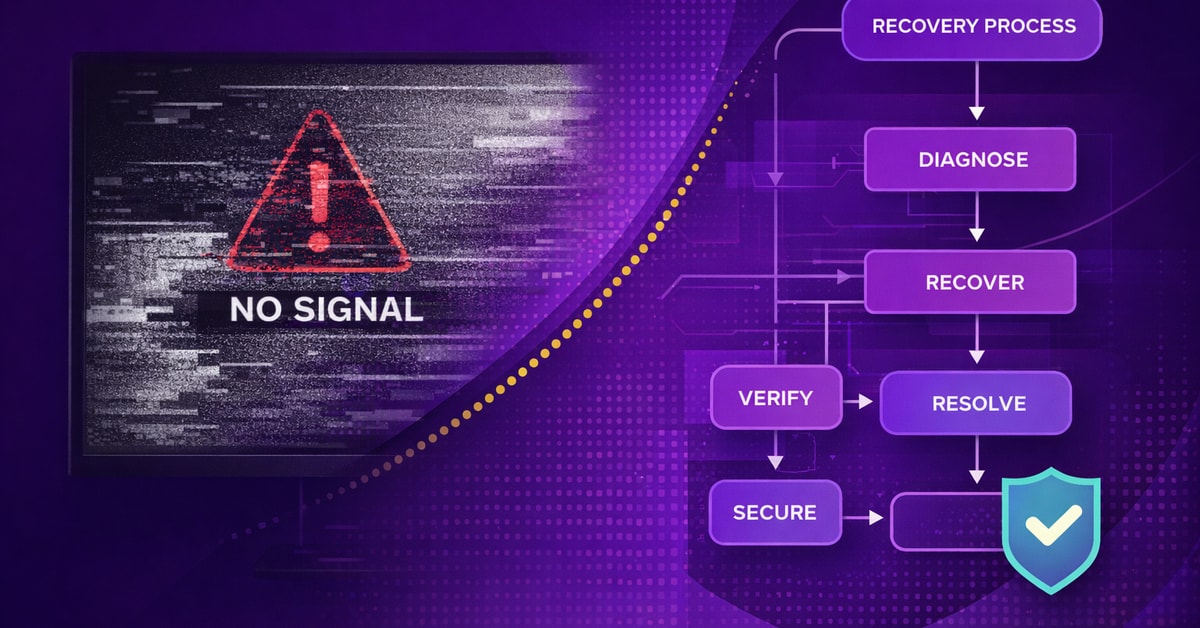
A company completes a cloud migration. A ransomware attack triggers the DR plan shortly after. The runbook still references on-premise restore procedures for systems that no longer exist on-premise. Recovery stalls while the team improvises a sequence nobody had documented. The plan wasn’t wrong when it was written; it just hadn’t been updated since the environment changed.
A disaster recovery plan defines how your organization recovers critical systems, data, and operations after a disruptive event. The difference between plans that hold and plans that collapse comes down to three things: how well you’ve mapped business impact, how your recovery design matches your actual risk tolerance, and how recently you’ve proven it works under real conditions.
This article covers the risk assessment and BIA (business impact analysis) process, what a complete DR plan contains, and how testing protocols close the gap between documentation and execution.
Why You Need a Disaster Recovery Plan
The business case for DR planning is immediate and operational. Disruptive events range from ransomware and hardware failure to power outages and natural disasters; any of them can bring systems down without warning. A DR plan that accounts only for one scenario type will fail when a different one hits.
That operational risk has a regulatory counterpart. For covered entities and business associates handling electronic protected health information, the HIPAA Security Rule mandates a contingency plan that includes a disaster recovery component. More broadly, NIST Special Publication 800-34 is a widely referenced contingency planning framework that many compliance programs use as a foundation. Data protection failures carry substantial financial exposure regardless of regulatory framework; breach costs averaged $4.44 million globally in 2025.
Conducting a Business Impact Assessment
DR planning starts with a risk assessment: identifying the threats your environment actually faces, from ransomware and hardware failure to power loss and natural disasters, and estimating the likelihood and operational impact of each. That assessment informs everything that follows. Without it, you’re designing recovery for scenarios you’ve assumed rather than scenarios you’ve analyzed.
A business impact assessment (BIA) translates that risk picture into recovery priorities. It’s the foundation every credible DR plan builds on, yet it’s the step most teams rush through or skip entirely. Without it, your Recovery Time Objective (RTO), the maximum time allowed to restore a system or service to operation, and your Recovery Point Objective (RPO), the maximum age of data that can be lost without unacceptable business impact, are guesses rather than commitments.
A BIA turns recovery planning from assumption into operational math. The output is a ranked set of recovery targets your team can defend when budget, timelines, and priorities get scrutinized.
Turning Business Impact into Recovery Targets
The goal of the BIA is a tiered system map with defensible RTOs and RPOs attached to each layer. The process starts by identifying mission-critical business processes and their recovery priority, then maps the resources and interdependencies each process requires, and finishes by producing ranked RTO and RPO targets for each system based on impact.
Categorize systems into tiers based on BIA findings. Tier 1 (critical) systems need RTOs measured in minutes to under an hour. Tier 2 systems tolerate a few hours of degradation, and Tier 3 and 4 systems can wait 24 hours or longer. These ranges reflect common practice rather than universal standards; actual windows vary by industry, regulatory framework, and organizational risk tolerance. The tiers themselves, whatever their specific thresholds, drive every downstream decision from backup frequency to DR strategy selection.
Tiers only hold up if the underlying dependencies are mapped correctly. A Tier 1 system that relies on an undocumented third-party authentication service isn’t recoverable in under an hour if that dependency isn’t in the plan.
Mapping Dependencies Before They Break Recovery
One detail teams frequently overlook: dependency mapping. Documenting system-to-system dependencies, vendor SLAs, and personnel availability per system is a baseline requirement. Any environment managing distributed infrastructure needs a vendor dependency register that’s accessible when the systems themselves aren’t. Third-party dependencies remain a first-order DR concern, especially when recovery depends on outside platforms, providers, and contracts.
What to Include in Your Disaster Recovery Plan
A DR plan that can’t be executed under pressure isn’t a plan. The full component inventory includes a system inventory ranked by criticality, RTO and RPO commitments per tier, recovery procedures for each critical system, roles and responsibilities with named backups for every DR function, communication and escalation protocols, explicit activation criteria, vendor contact lists, interconnection maps, and a test schedule. Most plans fail not because they’re missing a section, but because the sections they have are outdated or untested.
Here’s the thing: the list of components is the easy part. What breaks plans in real incidents is the operational detail inside each section.
Choosing a Recovery Model
Recovery model selection is a plan component, not a separate decision; it follows directly from the BIA tier assignments completed in the previous step.
Those tier assignments determine which recovery configurations are viable. Cold sites provide space but no hardware (recovery in days to weeks), warm sites include partial infrastructure (hours to days), and hot sites mirror production with near-immediate failover when properly configured. Cross-region failover and cloud availability zones meet the same alternate site requirement without physical infrastructure.
Tier 1 systems usually need a hot site or a cloud active-active configuration, where recovery expectations are tight enough that near-zero RPO becomes part of the design requirement. Tier 2 systems often fit a warm standby or cloud pilot light approach, keeping recovery reasonably fast while avoiding the cost of fully mirrored production capacity. Tier 3 and 4 systems can usually sit on a cold site or cloud cold tier where longer recovery windows are acceptable.
When maintaining physical alternate-site infrastructure isn’t practical, Disaster Recovery as a Service (DRaaS) provides a provider-managed alternative. The distinction between backup as a service (BaaS) and DRaaS matters here: backup covers data copies; DRaaS covers the full recovery sequence, communication protocols, and system dependency mapping that backup alone does not.
The Execution Details That Decide Whether Recovery Works
Five execution gaps commonly cause recoveries to stall. First, activation criteria must be explicit. A plan with no defined threshold for invocation leaves the declaration decision to whoever is available under pressure, which means it often happens too late. Define in advance what event types and severity levels trigger plan activation, and who has authority to declare.
Second, offline plan access is non-negotiable. A DR plan stored exclusively in systems affected by the outage is useless when you need it most. Hard copies and offline versions for all key personnel are a baseline requirement.
Third, eradication must precede recovery in any ransomware event. Threat removal must be confirmed before recovery begins; premature recovery risks re-infection. Fourth, backup integrity must be validated on a staging system before moving back to production. Fifth, every critical recovery role needs a named backup, and both individuals need to have reviewed the runbook before an incident.
Why Testing and Updating Your Plan Matters More Than Writing It
An untested DR plan creates false confidence, the kind that only surfaces when an actual incident exposes the gap. Annual testing is the minimum required to keep that confidence grounded in reality, not assumption.
Testing is where the paperwork meets operational reality. Bottom line: how deeply a team tests, and how quickly they update after change, determines whether the plan holds when it counts.
Choosing the Right Test Depth
Test depth should match system criticality. Each of the four testing types demands more time and resources than the last.
Checklist reviews verify that documented procedures and contact lists are current. Tabletop exercises walk through scenarios in a discussion-based format; including an adversary group creates realistic obstacles. Functional exercises validate actual recovery procedures like recovering from backup in isolated environments. Full-scale failover tests simulate complete recovery at an alternate site.
The play here: low-impact systems need tabletop exercises annually. Moderate-impact systems need functional exercises. High-impact systems with contractual RTO and RPO commitments need full-scale failover testing.
Test type is one dimension of the equation. The other is frequency, and frequency shouldn’t be driven by the calendar alone.
Updating After Change, Not Just on a Calendar
A DR plan that only gets reviewed on a fixed schedule will drift out of sync with the environment it protects. That drift accelerates whenever the environment changes: technology migrations, staff turnover in DR roles, post-incident findings, and new threat patterns all require a mandatory plan update. Regulated industries such as financial services and healthcare may test more frequently than annually, but in any environment the trigger for a review should be a change, not just a date. Treat the DR plan as a living document.
The tooling should support that cycle, not add to the maintenance burden. Cove Data Protection handles automated recovery testing with boot testing and screenshot creation, producing recoverability records that feed directly into internal review and compliance reporting without manual test runs.
Where Tooling Supports the Plan
N-able structures its cybersecurity portfolio around a Before-During-After attack lifecycle that maps directly to where DR plans succeed or fail. Before an attack, N-able N-central keeps endpoints hardened and current through continuous vulnerability scanning, automated patch management, and built-in security controls across Windows, macOS, and Linux.
During an attack, Adlumin MDR/XDR puts 24/7 coverage behind every environment, correlating signals across network traffic, endpoints, and user behavior to contain threats before they spread.
After an attack, Cove Data Protection is where the recovery plan meets execution: isolated direct-to-cloud backups with 15-minute intervals, standby images for rapid failover to local hardware or Azure, and automated recovery testing that validates recoverability before you ever need it.
That lifecycle sequence matters for DR outcomes. Faster detection and containment during an attack reduces the scope of damage that recovery has to address, which in practice supports tighter RTO targets.
Build a Disaster Recovery Plan You Can Actually Execute
The teams who recover fastest test regularly, assign clear ownership, and know their RTO and RPO commitments before anything goes wrong. A continuity plan keeps operations moving while DR recovers the systems underneath, and both need to work together. When you’re ready to build recovery infrastructure that holds up under real pressure, contact us to talk through what that looks like for your environment.
Frequently Asked Questions
What’s the difference between a disaster recovery plan and a business continuity plan?
A disaster recovery plan focuses on recovering IT systems (servers, data, applications) after a disruptive event, while a business continuity plan focuses on keeping critical business operations running throughout that event. DR gets your systems back; BCP keeps your business moving while DR does its job.
How common is ransomware for small and mid-sized businesses?
Ransomware remains one of the most likely incident types any IT environment will respond to. That’s why recovery planning has to assume backups, production systems, and access paths may all be under pressure at the same time.
How often should a disaster recovery plan be tested?
Annual testing is the minimum baseline, but healthcare and financial services environments may test more often. Any major infrastructure change, staff turnover, or post-incident finding also triggers an update cycle.
What are RTO and RPO, and why do both matter?
RTO is the maximum time allowed to restore a system or service to operation; RPO is the maximum age of data that can be lost without unacceptable business impact. Both need to be defined before an incident, not during it, so the recovery team has agreed-upon targets to work toward.
Why do DR plans fail during actual incidents?
The most common failure modes are undefined activation criteria, outdated contact lists, untested recovery procedures, plans stored only on systems affected by the outage, and single points of failure in DR personnel. Regular testing, offline plan copies, and explicit invocation thresholds address each one.
© N‑able Solutions ULC e N‑able Technologies Ltd. Tutti i diritti riservati.
Il presente documento viene fornito per puro scopo informativo e i suoi contenuti non vanno considerati come una consulenza legale. N‑able non rilascia alcuna garanzia, esplicita o implicita, né si assume alcuna responsabilità legale per quanto riguarda l’accuratezza, la completezza o l’utilità delle informazioni qui contenute.
N-ABLE, N-CENTRAL e gli altri marchi e loghi di N‑able sono di esclusiva proprietà di N‑able Solutions ULC e N‑able Technologies Ltd. e potrebbero essere marchi di common law, marchi registrati o in attesa di registrazione presso l’Ufficio marchi e brevetti degli Stati Uniti e di altri paesi. Tutti gli altri marchi menzionati qui sono utilizzati esclusivamente a scopi identificativi e sono marchi (o potrebbero essere marchi registrati) delle rispettive aziende.