
Endpoint Mobility Management: MDM vs. EMM vs. UEM

By N-able
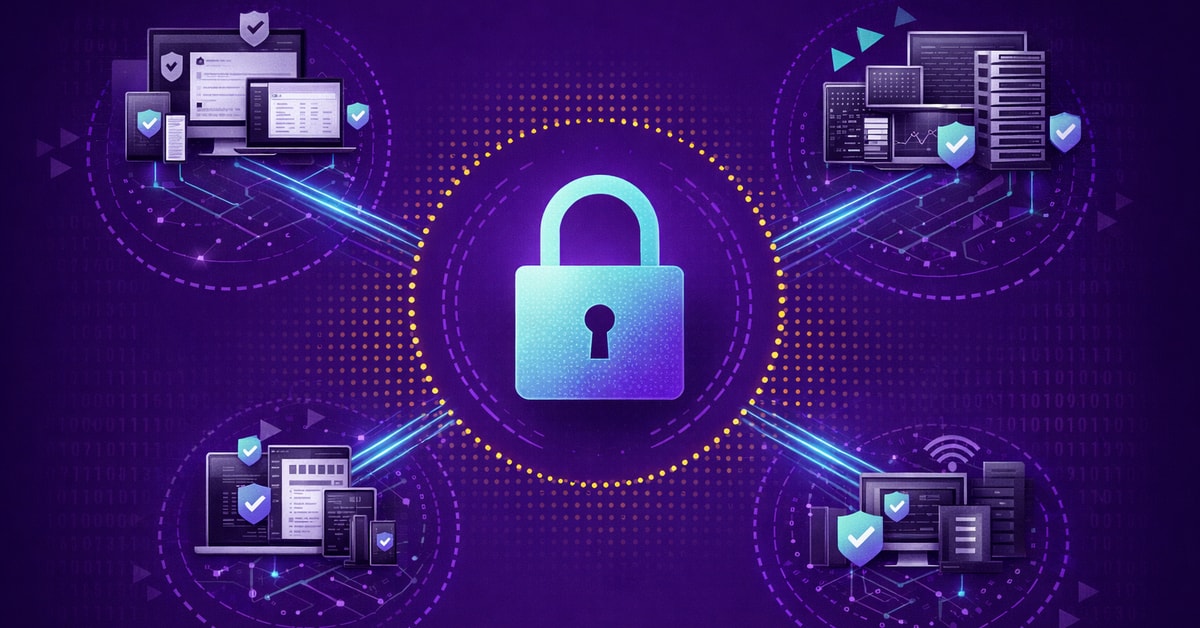
A technician gets a call at 8 p.m.: an employee lost a company laptop containing sensitive financial data at an airport. Without centralized endpoint management, this becomes a scramble through multiple tools and vendor portals while the clock ticks on potential data exposure. With a unified endpoint management (UEM) platform, the technician executes a remote wipe from a single console, confirms completion, and generates compliance documentation automatically.
This scenario plays out daily across Managed Service Provider (MSP) operations and corporate IT departments managing diverse device fleets. Device management has grown beyond mobile phones into a complex web of laptops, tablets, desktops, and IoT devices requiring consistent security policies and rapid response capabilities.
Below: a breakdown of each management approach, when each makes sense, and how security operations fit into the complete endpoint protection picture.
Endpoint Mobility Management Overview
Every device connecting to a corporate network is an access point that needs governance, whether it’s a phone in a clinician’s pocket or a server in a remote branch office. Endpoint mobility management provides that governance through centralized policy enforcement, configuration control, and continuous monitoring.
For MSPs, this translates to scalable, multi-tenant platforms that enforce client-specific policies without separate infrastructure for each organization.
For corporate IT teams, it means unified visibility across distributed offices from a single management layer.
Organizations are increasingly consolidating toward fewer tools rather than adding more point solutions, with cloud deployment driving most implementations.
Why Endpoint Mobility Management Matters
Data breaches continue to climb in both frequency and cost, with healthcare and critical infrastructure organizations absorbing the steepest financial damage (IBM 2024). Endpoint detection and response tools reduce those costs substantially, but most mid-market organizations lack the staff to deploy them effectively.
The National Institute of Standards and Technology (NIST) SP 800-124 provides federal guidelines for mobile device security, while healthcare organizations need Health Insurance Portability and Accountability Act (HIPAA)-compliant device management and financial services require audit trails proving policy enforcement.
The cybersecurity workforce gap continues to widen, with budget constraints now outpacing talent scarcity as the primary driver of staffing shortages. Building an internal team for 24/7 endpoint monitoring isn’t realistic for most MSPs or mid-market IT departments. That gap is what drives demand for managed services and automated solutions.
Compliance pressure accelerates the shift from basic MDM to more mature management approaches. HIPAA requires encryption and remote wipe for any device touching patient data. PCI-DSS mandates access controls and audit trails across every system handling cardholder information.
Cyber-insurance underwriters increasingly require proof of endpoint policy enforcement before issuing coverage. Organizations that outgrow MDM’s device-level controls often find that EMM or UEM is the only path to passing audits without manual evidence gathering across dozens of separate tools.
Types of Endpoint Management Solutions
MDM, EMM, and UEM each address different device management needs, and each builds on the capabilities of the one before it. The right choice depends on device diversity, BYOD requirements, and how much control the organization needs over applications and data.
MDM: Mobile Device Management
Mobile Device Management (MDM) provides certificate-based security for smartphones and tablets through centralized policy enforcement, covering everything from device enrollment and configuration profiles to encryption requirements and remote wipe.
MDM works well for corporate-owned device fleets, standardized employee deployments, and kiosk or single-purpose devices in retail, healthcare, or manufacturing environments.
For corporate IT teams, MDM simplifies onboarding by pushing pre-configured profiles to new devices automatically, cutting provisioning from hours to minutes across distributed offices. Here’s the thing: MDM’s device-level control creates limitations with bring-your-own-device (BYOD) programs. Apple’s MDM framework for user-owned devices cannot access personal information, cannot inventory personal apps, and can only remove work data.
Successful BYOD implementations require careful architectural design and Enterprise Mobility Management (EMM) solutions with Mobile Application Management (MAM).
EMM: Enterprise Mobility Management
The play here is securing corporate applications and data without controlling the entire device. EMM extends MDM with application management and mobile content management capabilities, and a full EMM suite includes MDM, MAM, and at least one of the following: Mobile Identity Management, Mobile Content Management, or containerization technologies.
MAM creates secure boundaries between business and personal apps through data containerization. IT can selectively wipe corporate data while leaving personal information intact. Mobile Content Management adds encrypted document repositories with granular access controls, watermarking, screen capture prevention, and complete audit trails for regulated industries.
What this looks like in practice: a healthcare organization deploys EMM to protect patient data on clinician smartphones. Corporate apps containing protected health information run in encrypted containers with copy-and-paste blocked between corporate and personal apps. If a device is lost or an employee leaves, IT wipes only the corporate container without touching personal photos, messages, or apps. The audit trail from containerized access also gives compliance teams documented proof of data handling controls during HIPAA reviews, without requiring manual evidence collection from each individual device.
UEM: Unified Endpoint Management
Unified Endpoint Management (UEM) solutions consolidate the management of mobile devices, desktops, laptops, IoT devices, wearables, and servers under one roof. Rather than maintaining separate MDM tools for phones and traditional PC management for desktops, UEM applies consistent policy enforcement across all endpoint types through unified APIs. It also introduces software deployment capabilities across devices, allowing IT teams to remotely distribute, update, and automate applications from a single console.
Organizations running three or more separate device management tools face duplicate training costs, multiple vendor relationships, integration complexity, and inconsistent security postures. UEM eliminates this fragmentation by managing all device types from a single console, using current operating system APIs to enable zero-trust frameworks and real-time threat response.
Remote and hybrid workforces make UEM’s cross-platform reach essential. Employees connect from home networks, co-working spaces, and client sites on devices the IT team may never physically touch. UEM enforces conditional access policies based on device health, user identity, and network context, so a laptop connecting from an unsecured airport Wi-Fi gets different treatment than one plugged into a hardened office network. That kind of adaptive policy enforcement is what moves endpoint management from inventory tracking to actual security posture control.
N-able N-central is purpose-built for this model, supporting client-specific or department-specific policy configurations for MSPs and corporate IT alike. Teams discover, monitor, and manage mixed environments without juggling separate tools per operating system.
Key Differences at a Glance
Here’s how the three approaches compare across the capabilities that matter most when evaluating endpoint management platforms.
| Capability | MDM | EMM | UEM |
| Device Types | Mobile only | Mobile, some laptops | All endpoints including IoT |
| Management Focus | Device hardware and OS | Devices, apps, content, identity | Cross-platform unified policies |
| BYOD Support | Limited (requires device control) | Strong (app containerization) | Full support across device types |
| Application Security | Basic allow/block lists | MAM with containerization | Enterprise app deployment |
| Security Depth | Passcode enforcement, remote wipe, encryption | Data loss prevention, secure containers, app-level VPN | Zero-trust frameworks, behavioral analytics, SIEM integration |
| OS Patch Management | Mobile OS only | Mobile OS and managed apps | Full patching across all platforms |
| Identity Integration | Basic directory sync | Single sign-on, certificate authentication | Zero-trust, conditional access |
| Best Fit | Corporate-owned mobile fleets, kiosks | BYOD programs, regulated mobile environments | Mixed device environments, MSPs, distributed IT teams |
How N-able Supports Endpoint Mobility Management
Devices need protection before threats arrive, detection and response during active incidents, and recovery capabilities after attacks. The N-able cybersecurity solutions cover all three phases of the attack lifecycle.
Before an Attack: N-able N-central manages the full device spectrum from a single console, including Apple MDM with zero-touch enrollment through Apple Business Manager, remote lock/wipe commands, configuration profile deployment, and policy enforcement across macOS, iOS, iPadOS, and Apple TV. That same console handles cross-platform patch management for Windows, macOS, and Linux, plus over 100 third-party applications including Chrome, Adobe, Zoom, and Cisco Webex, with cloud-based deployment that works regardless of VPN connectivity. The platform’s automation architecture supports code, low-code, and no-code approaches with pre-built automation workflows, AI-assisted task creation, and self-healing capabilities that resolve issues before they generate tickets.
During an Attack: N-able EDR uses dual-engine detection with Static AI analyzing files before execution and Behavioral AI identifying suspicious activity patterns. Automated containment stops threats without manual intervention, and ransomware rollback recovers Windows endpoints to pre-attack states. Adlumin MDR/XDR adds 24/7 analyst oversight, analyzing 461 billion security events monthly with 70% of threats handled through automated remediation.
After an Attack: Cove Data Protection maintains immutable, isolated backups that ransomware cannot encrypt or delete, protecting 180,000+ businesses. Standby images enable near-instant disaster recovery locally or in Microsoft Azure, and TrueDelta technology creates backups up to 60x smaller than traditional image-based solutions with frequencies as often as every 15 minutes.
Selecting the Right Approach
The MDM, EMM, and UEM decision depends on device composition, BYOD requirements, compliance obligations, and operational scale. Organizations with mobile-only fleets and corporate-owned devices often find MDM sufficient. BYOD programs and regulated industries typically require EMM’s application-level controls. Mixed environments with hundreds of endpoint types, MSPs managing multiple client environments, or corporate IT teams supporting distributed offices benefit most from UEM consolidation.
Here’s what this looks like in practice for MSPs building service tiers:
- Bronze tier offers MDM for clients with corporate-owned mobile fleets.
- Silver adds EMM capabilities for clients running BYOD programs or operating in regulated industries.
- Gold delivers full UEM with automated patch management, vulnerability scanning, and centralized policy enforcement across all endpoint types.
Each tier maps to a predictable monthly recurring revenue line, and the progression from MDM to UEM gives clients a natural upgrade path as their environments grow more complex.
For corporate IT teams, the calculus is different but the trajectory is the same. Mid-market organizations running lean IT departments rarely have the headcount to manage separate MDM, security, and patching tools. UEM consolidation puts cross-platform device management, policy enforcement, and vulnerability remediation in one console, which makes it easier to demonstrate ROI to finance leadership and pass compliance audits without scrambling.
Bottom line: the endpoint management landscape continues evolving toward unified platforms. N-able provides complete lifecycle coverage with N-central for before-attack prevention, N-able EDR with Adlumin MDR/XDR for during-attack detection and response, and Cove Data Protection for after-attack recovery.
Explore N-able’s endpoint management capabilities to see how it works in practice. Contact us for more information.
Frequently Asked Questions
What’s the main difference between MDM and UEM?
MDM controls mobile phones and tablets only, while UEM manages all endpoint types, including desktops, servers, and IoT, from a single platform. EMM sits between them, adding application-level security and containerization for BYOD programs.
Can EMM replace MDM entirely?
No, EMM includes MDM as its foundation and extends it with Mobile Application Management and content security. EMM adds app-level controls on top of MDM rather than replacing the device-management layer underneath.
How long does UEM implementation typically take?
Initial deployment takes 8 to 16 weeks for phased rollout. The consolidated platform eliminates ongoing overhead of managing multiple separate tools, and most teams see reduced operational burden within the first quarter.
Does endpoint management help with compliance requirements?
EMM and UEM platforms provide the audit trails, access controls, and policy documentation required for HIPAA, Payment Card Industry Data Security Standard (PCI-DSS), and NIST compliance. Automated reporting pulls compliance evidence without manual data gathering.
When does UEM consolidation make financial sense?
Organizations managing large, mixed endpoint fleets typically hit break-even within 18 to 24 months through consolidated licensing and reduced training requirements. MSPs managing multiple client environments often see faster returns through standardized service delivery.
© N‑able Solutions ULC and N‑able Technologies Ltd. All rights reserved.
This document is provided for informational purposes only and should not be relied upon as legal advice. N‑able makes no warranty, express or implied, or assumes any legal liability or responsibility for the accuracy, completeness, or usefulness of any information contained herein.
The N-ABLE, N-CENTRAL, and other N‑able trademarks and logos are the exclusive property of N‑able Solutions ULC and N‑able Technologies Ltd. and may be common law marks, are registered, or are pending registration with the U.S. Patent and Trademark Office and with other countries. All other trademarks mentioned herein are used for identification purposes only and are trademarks (and may be registered trademarks) of their respective companies.