
How Detecting Critical Configuration Changes Helps Protect Backup Environment Integrity

By Stefan Voss
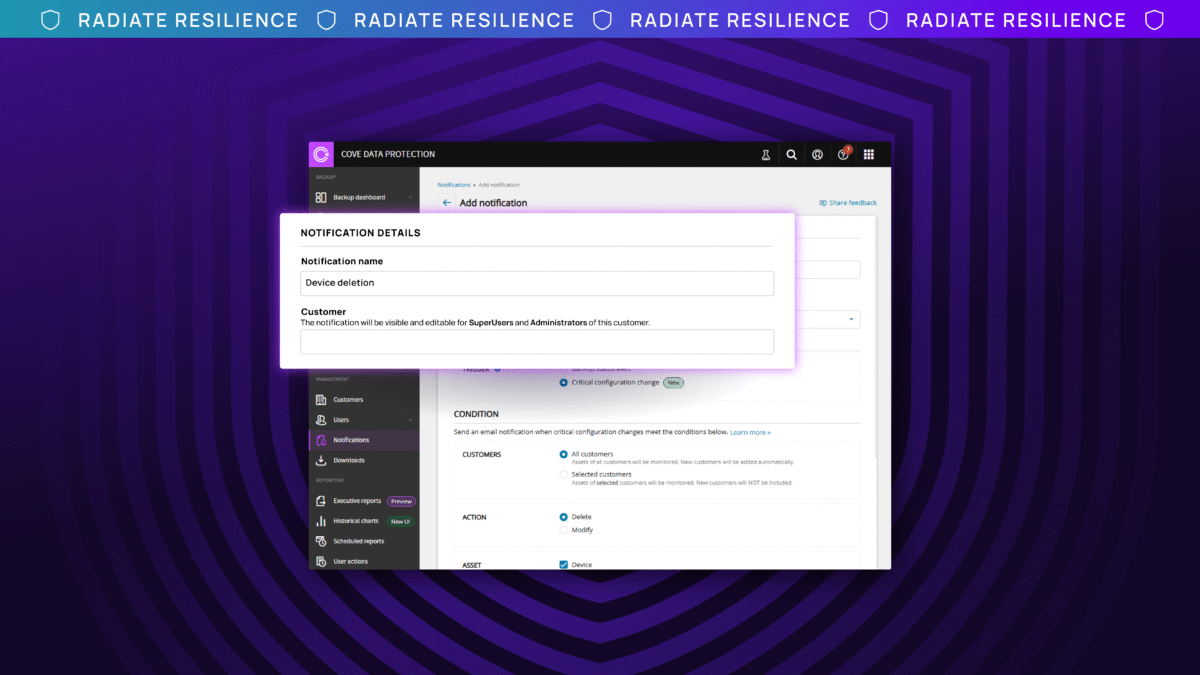
Accidental and malicious changes to backup policies are real cybersecurity concerns for those who manage backup environments. Whether it be a misconfiguration by a user or an attacker that has gained access to the backup environment, silent changes to backup policies can erode data availability, this can include changed retention scheduled, modified backup policies, or deleted devices.
This blog explores how Critical Configuration Changes, the second feature in our Anomaly Detection story, helps protect against accidental misconfigurations by technicians or admins, and identity-based attacks to the backup environment by providing event-based alerts for indicators of compromise (IOCs) in real-time, allowing users to take just-in-time action before recovery is impacted.
Accidental Change Scenario: Imagine your business and team is growing, adding new users and devices to the backup environment. Over time, users may unintentionally make small alterations to backup policies, like adjusting retention schedules or excluding data from backups, without communicating these changes. Slowly, these unnoticed changes cause your backup policies to drift from the intended baseline, resulting in errors that often go undiscovered until it’s too late (i.e. when a recovery must be performed during a disaster scenario). This example is called backup policy drift, and it represents the slow divergence of backup policies from the original baseline. This drift typically stems from efforts to accommodate growth in the backup environment, not from malicious actions.
Malicious Change Scenario: Imagine an attacker compromises a technician or admin’s account and gains access to your backup management console. Instead of deleting everything, they tweak backup configurations without being noticed. Maybe they change data retention from one year to seven days, exclude critical files (like financial data) from backups, or delete servers or workstations (like a CEO’s) from protection. Over time, these configuration changes can erode the restorability of your available backup copies. Attackers often launch attacks to compromise restorability in conjunction with a ransomware attack, hoping you find that backups aren’t there or are incomplete.
How Critical Configuration Changes Helps
Detecting Critical Configuration Changes helps address both accidental and malicious change scenarios by allowing teams to create event-based alerts for IOCs affecting their backup policies. Here’s how it works:
- Intended Baseline: When you create, save, and assign your initial backup policies to devices, they are registered as the intended baseline for that specific backup policy.
- Unusual Policy Changes: In a well-behaved environment, backup policies (i.e. retention schedules, modified backup profiles, deleted devices) are changed infrequently and only by authorized people. When you create a Critical Configuration Change notification rule, any suspicious or unauthorized deviation from that baseline is registered as an event and is flagged, like how banks flag unusual transactions on a credit card.
- Event-Based Notifications: Once this event occurs, a notification will be sent to the internal recipients assigned to that notification, giving you and your teams real-time visibility into anomalous backup policy modifications. This allows you to take just-in-time action and resolve these changes before recovery is impacted.
Remediation Methods:
Once a change to backup policies is detected, first determine if it was accidental or malicious.
If accidental, follow these remediation steps:
- Contact Support immediately to retrieve data.
- Review Logs to identify what changes were made.
- Revert Changes to the original policies to ensure your intended backup policy is in place.
If malicious, follow these remediation steps:
- Restrict Access immediately to protect sensitive data.
- Contact Support to retrieve data that may have been lost.
- Review Logs to identify what changes were made.
- Revert Changes to the original policies to ensure your intended backup policy is in place.
Conclusion
Our Anomaly Detection story encompasses the three most common attack vectors for backups: the backup infrastructure, the backup environment, and the backup data itself. Critical Configuration Changes is a key piece of this story by alerting teams to changes that happen in the backup environment, helping to ensure that your:
- Data protection strategy isn’t quietly undermined from within
- Recovery efforts aren’t impacted
- Overall data resilience is strengthened
If you are curious about the overall health of your backup environment and backup configurations, please reach out to your customer success manager to schedule a configuration health check. They will engage the appropriate technical resource to ensure you receive the support you need.
If you are curious about creating your first alert today, watch our feature overview video to help you get started.