



Hoja de datos
CiberresilienciaCopia de seguridad y recuperación ante desastresNegocios de MSPProtección de datos

Soluciones para MSP y equipos de TI
Protect your SharePoint data from deletion, corruption, and compliance risks. Cove’s automated backup solution gives you complete control over data protection.
Set it and forget it. Cove automatically backs up Microsoft SharePoint sites, libraries, permissions, and folder structures up to four times a day, protecting you from data loss without extra work.
Stop jumping between tools. Cove consolidates your Microsoft 365 backup alongside server and workstation backups in a single, web-based console with one-click drilldowns that save time every day.
Quickly restore files, libraries, or full SharePoint sites with permissions intact. Simply select what you need from the folder tree and restore it from the console to the same location or a new one.
Retain SharePoint data for seven years with compliant data centers across the globe. Cove supports standards like PCI-DSS, ISO 27001, SOC 2, and HIPAA where applicable —without added complexity.
Cove users enjoy predictable pricing and better overall TCO value.
Microsoft 365 operates on a Shared Responsibility Model. While Microsoft ensures application uptime and infrastructure security, you are responsible for protecting your own data. SharePoint’s native recovery options are limited, such as a 30-day library restoration. A dedicated third-party backup for SharePoint, like Cove Data Protection, is essential to protect against accidental deletion, malicious attacks, and data corruption, ensuring your critical business data is secure and recoverable long-term.
Cove Data Protection is a cloud-first backup solution designed for MSPs and IT professionals. It offers a single, user-friendly web dashboard to manage backups for not only SharePoint but also servers, workstations, Exchange, OneDrive, and Teams. This eliminates «dashboard hopping» and streamlines management. Cove includes secure, private cloud storage in your price, with data retention for up to seven years and your choice of global data center locations to meet regional data sovereignty needs.
With Cove, you have granular control over your data recovery. You can easily restore individual files, folders, and subdirectories without needing to restore an entire SharePoint site or library. This flexibility allows MSPs and IT professionals to resolve data loss incidents faster and with greater precision, minimizing disruption to business operations.
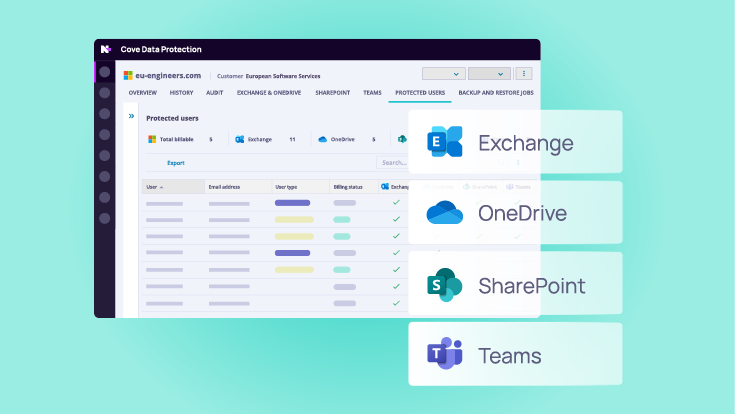
Cove offers seamless integration across the Microsoft 365 suite. From a single console, you can manage backups for Exchange, OneDrive, Teams, and SharePoint. This unified approach simplifies administration for IT professionals and MSPs, providing a consolidated view of protection status across all critical Microsoft 365 applications.
Yes. Cove is designed to help you meet stringent compliance and data retention mandates, such as HIPAA, SOC, and PCI-DSS. It allows you to retain backup SharePoint data for up to seven years in secure, certified data centers. In the event of an audit, you can readily access and report on historical data, demonstrating full compliance and data integrity.
When you use Cove for your Microsoft SharePoint backup, your data is stored in our secure, private cloud with data centers located worldwide. You can choose your preferred storage region to keep your data local and meet data sovereignty requirements. Our data centers are SOC 1 and SOC 2 certified and feature rigorous physical security and power continuity to help ensure your data is always safe and available.
Cove makes it easy to manage backups, meet compliance requirements, and recover data fast—all from one user-friendly platform.


