Imagine someone knocking on your front door dressed as a utility worker. They look the part: clipboards, uniforms, maybe even a badge. They ask to check your meter, but once inside, they unlock the back door for a burglar.
In the digital world, this is exactly how a phishing email works.
It’s not just a nuisance; it’s a critical business risk. With cybercriminals constantly refining their tactics, understanding the meaning of a phishing email is one of the first important steps toward building true cyber resilience.
How Phishing Attacks Work
At its core, phishing relies on social engineering. Attackers don’t need to hack your firewall if they can just ask you for the keys.
These emails often create a sense of urgency or fear to bypass your critical thinking. You might see a subject line shouting “Payment Overdue” or “Account Suspended.” In the moment of panic, you might click a link that leads to a fake login page. Once you enter your credentials, the attacker captures them.
While traditional phishing casts a wide net, targeting thousands of users with generic messages, more sophisticated versions exist:
- Spear Phishing: Highly targeted attacks aimed at specific individuals, often using personal details to seem credible.
- Whaling: Attacks targeting high-profile executives (the “big fish”) like CEOs or CFOs to steal sensitive company data or authorize fraudulent transfers.
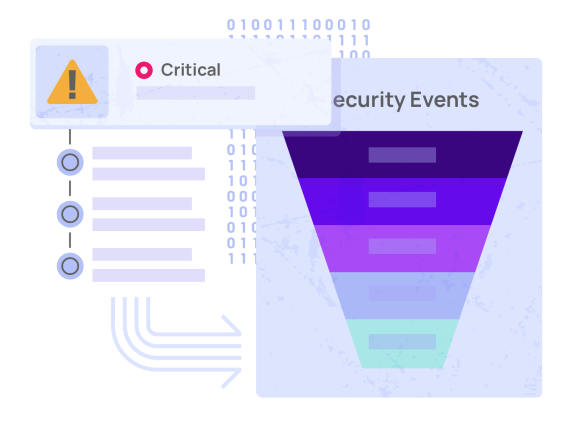
Adlumin MDR: Advanced 24/7 managed security
7 Ways to Recognize a Phishing Email
Cybercriminals are always getting smarter, often using AI and automation to write error-free emails that mimic legitimate brands perfectly. However, there are usually tell-tale signs if you look closely. Here is how to spot a phishing email before it causes damage:
- Mismatched Sender Address: The display name might say “IT Support,” but if you hover over the address, does it say [email protected] instead of microsoft.com? If one letter (in this case “rn” instead of “m” doesn’t match the company name, it’s a scam.
- Suspicious Links: Hover over any buttons or links without clicking. Does the destination URL look strange, shortened, or completely different from the text?
- Generic Greetings: Legitimate organizations usually use your name. Be wary of emails starting with “Dear Customer” or “Dear User.”
- Urgency and Threats: Phishing relies on panic. Phrases like “Immediate action required” or “Your account will be deleted” are major red flags designed to make you act without thinking.
- Unsolicited Attachments: Did you ask for an invoice or a shipping receipt? If not, don’t open the attachment. It could contain malware that infects your system immediately.
- Requests for Sensitive Info: No reputable company will ask for your password or social security number via email.
- Poor Grammar or Formatting: While AI is improving this, many phishing emails still contain awkward phrasing or inconsistent formatting that feels “off.”
Why Email Security Matters for Business Resilience
You might think, “I’m smart enough not to click that.” But what about your tired employee at 4:55 PM on a Friday?
Phishing is often the entry point for much larger attacks, including ransomware. A single clicked link can compromise an entire network. This is why reliance on human vigilance alone isn’t enough. True resilience requires a layered approach.
You need robust endpoint management to ensure devices are patched and secure, combined with advanced security operations to detect threats that slip through the cracks. If an employee does make a mistake, having reliable data protection (backups) helps you recover quickly without paying a ransom.