We are pleased to announce new enhancements to the Archiving module, including the possibility to export archived messages and check the export status.
Over the next two weeks, we will be enabling the following options to enhance your experience in exporting archived messages:
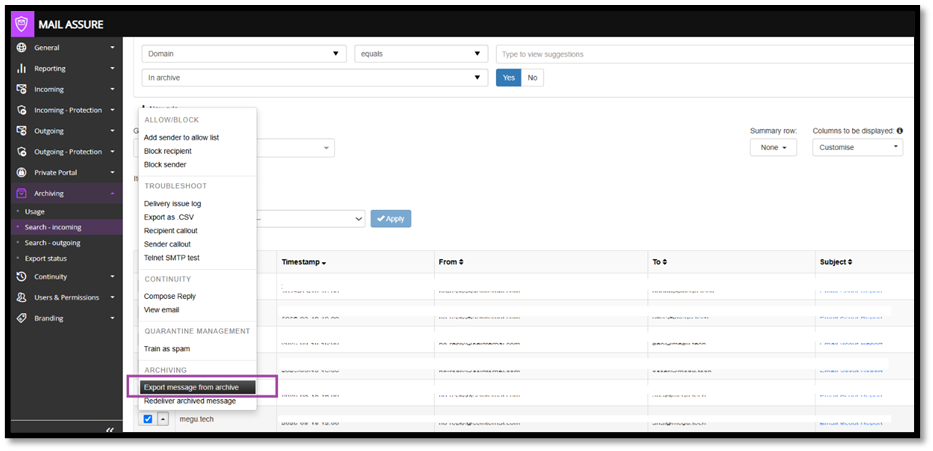
Archiving Log Search pages, both Incoming and Outgoing, have been enhanced with a new action “Export message from archive”, offering the possibility to export the archived messages.
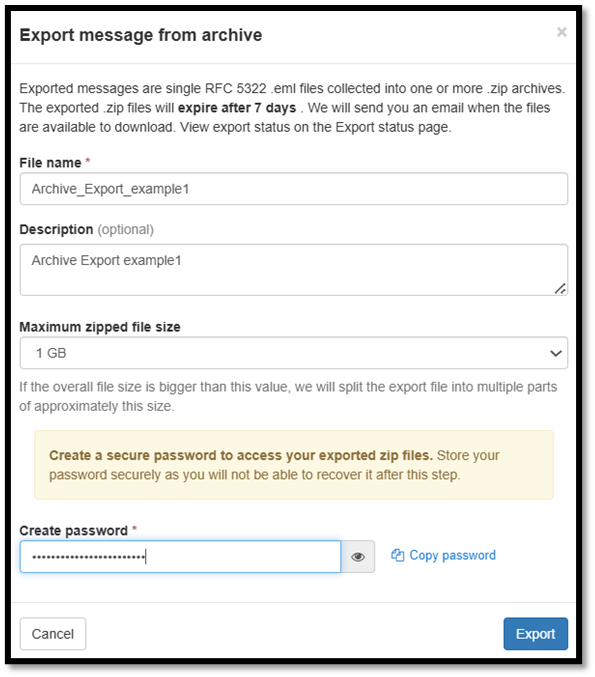
The new page “Export message from archive” has been added to mention the name for the folder with archived messages as well as the password needed to access it.
Archiving – “Export Status” new page has been added offering the possibility to track the export progress.
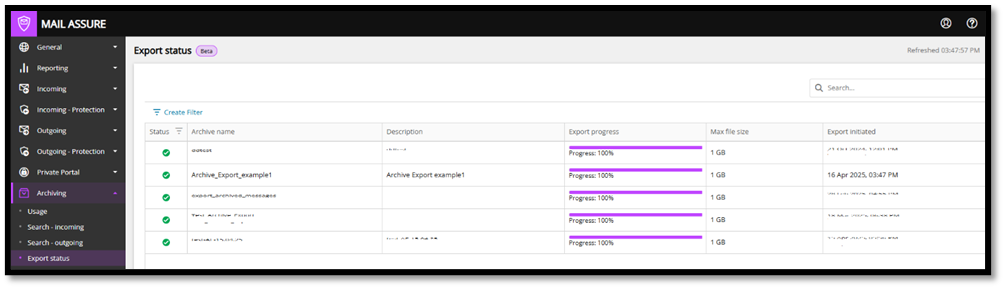
The history with the upcoming archive export requests is going to be available in this page where search and filtering functions are available.
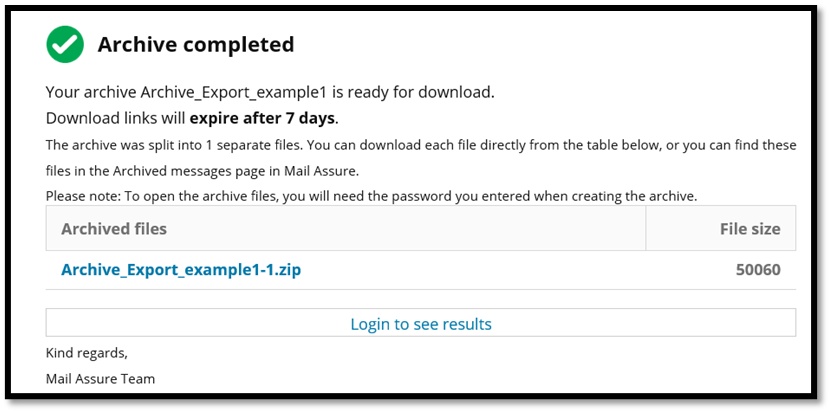
Once the export is completed, an email notification is sent to the email address of the user initiating the action, offering the link to access the archived folder and the password defined in the previous step is needed.
Note: The previous action “Download archived message” is no longer available as well as the Archiving > Export page at Domain level, which has been deprecated.
