2026 SOC Report Insights: see how attacks are shifting and where modern SOCs are struggling to keep up.

Download now

What we hear from MSPs

DNS security dashboard collage showing network activity metrics, traffic graphs, and a “Threat blocked” alert, representing real‑time threat detection and response.

DNSFilter is a critical part of IT security defense in depth. I like the DNS agent capabilities best. Being able to protect laptop assets even when they are not on the main corporate network fills a critical hole in security protection.

Rick S, CTO, G2

DNS security dashboard showing blocked threats by domain, with charts summarizing threat categories and a table listing domains and blocked request counts.

I absolutely love DNSFilter. Domain lookup, category blocking, category insights, query log, user security, it is all spot on and great for a business of any size.

Steven G, IT Director, G2

We must protect users from advanced web threats

We must protect users from advanced web threats

As new malicious websites and URLs crop up daily, legacy web content filtering tools can’t keep up and may let through zero-day threats, ransomware, and fileless malware attacks.

DNS security dashboard collage showing network activity metrics, traffic graphs, and a “Threat blocked” alert, representing real‑time threat detection and response.

We need DNS protection on and off the network

We need DNS protection on and off the network

MSPs’ clients have shifted to working remotely, exposing them to security threats. Increasingly aggressive web phishing attacks, ransomware, and viruses require new tools.

DNSFilter is a critical part of IT security defense in depth. I like the DNS agent capabilities best. Being able to protect laptop assets even when they are not on the main corporate network fills a critical hole in security protection.

Rick S, CTO, G2

We cannot risk techs missing critical alerts.

We cannot risk techs missing critical alerts.

It’s easier to manage policies when you can use what you already have in place. Our Sync tool gives you the ability to directly integrate with Active Directory and Azure Directory. We provide an automatic full sync of both security and dynamic groups, supporting up to 500,000 users.

DNS security dashboard showing blocked threats by domain, with charts summarizing threat categories and a table listing domains and blocked request counts.

We want to show value to our clients

We want to show value to our clients

Harmful sites, phishing, and other cyberthreats evolve rapidly each day. Many MSPs feel they should give their clients more visibility into the level of protection they get.

I absolutely love DNSFilter. Domain lookup, category blocking, category insights, query log, user security, it is all spot on and great for a business of any size.

Steven G, IT Director, G2

Key benefits

DNS filtering rule configuration screen showing roaming client status and settings for deploying a DNS filter profile to employee devices.

From the end-user perspective, the ease of use and deployment has garnered positive feedback. Also, the central management dashboard makes managing a multi-tenant environment quick and easy.

Matt H, President, G2

DNS security threats report showing a pie chart of threats by domain and a table listing domains, threat categories, and blocked request counts.
Managed DNS dashboard showing a device list with DNS filtering status, integrations, and a panel for editing custom device properties and DNS filter profiles.

Protect devices on and off networks

Protect devices on and off networks

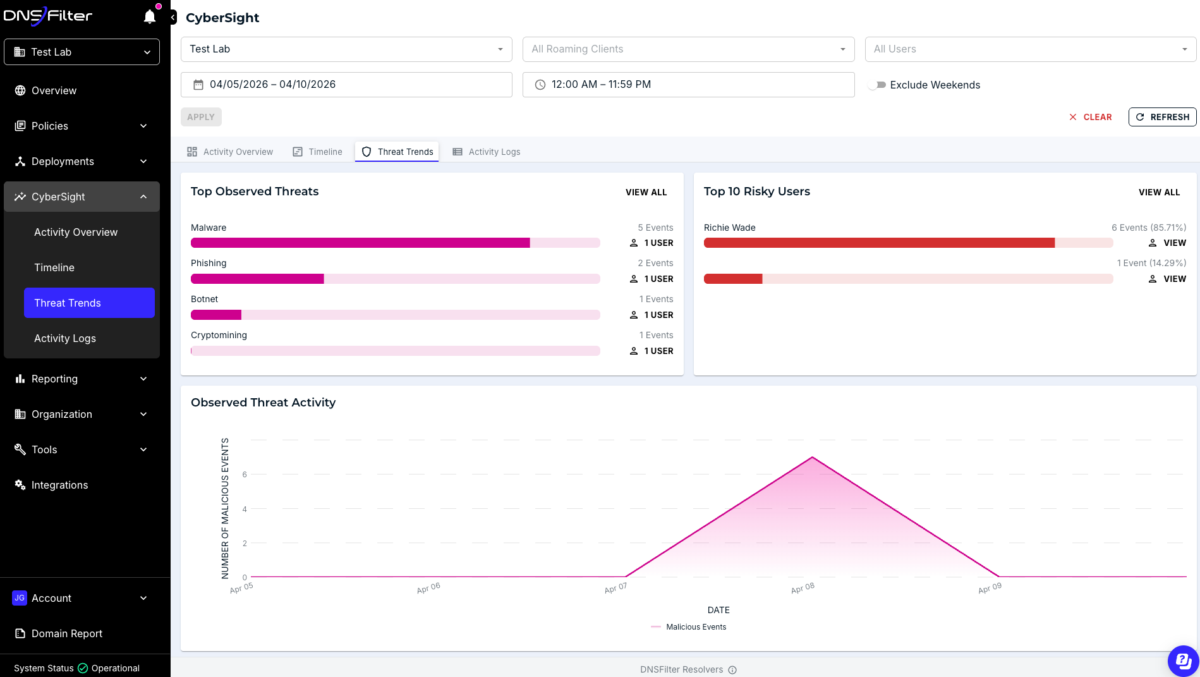
Analyze site data in real time using advanced scanning technology powered by AI to improve protection—whether on- or off-site.

DNS filtering rule configuration screen showing roaming client status and settings for deploying a DNS filter profile to employee devices.

Save time with rapid deployment

Save time with rapid deployment

Add customer profiles and configurations easily—typically within minutes. Just set it up and let DNS Filtering do the protecting.

From the end-user perspective, the ease of use and deployment has garnered positive feedback. Also, the central management dashboard makes managing a multi-tenant environment quick and easy.

Matt H, President, G2

Get visibility into customers’ security postures

Get visibility into customers’ security postures

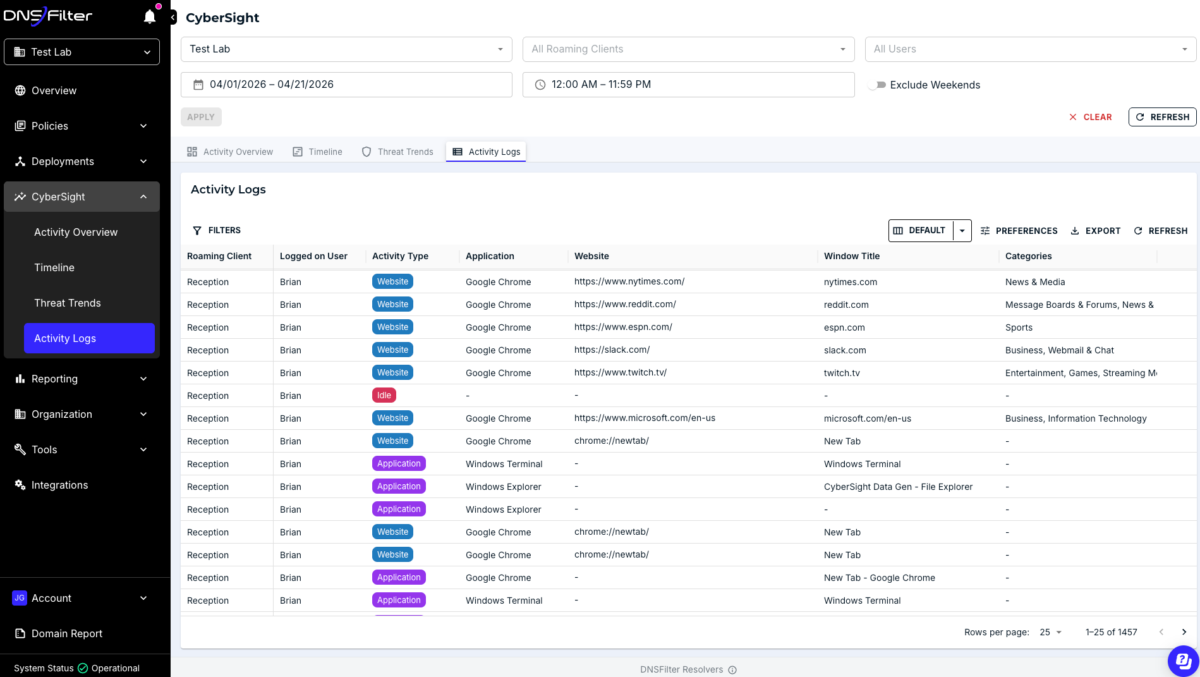
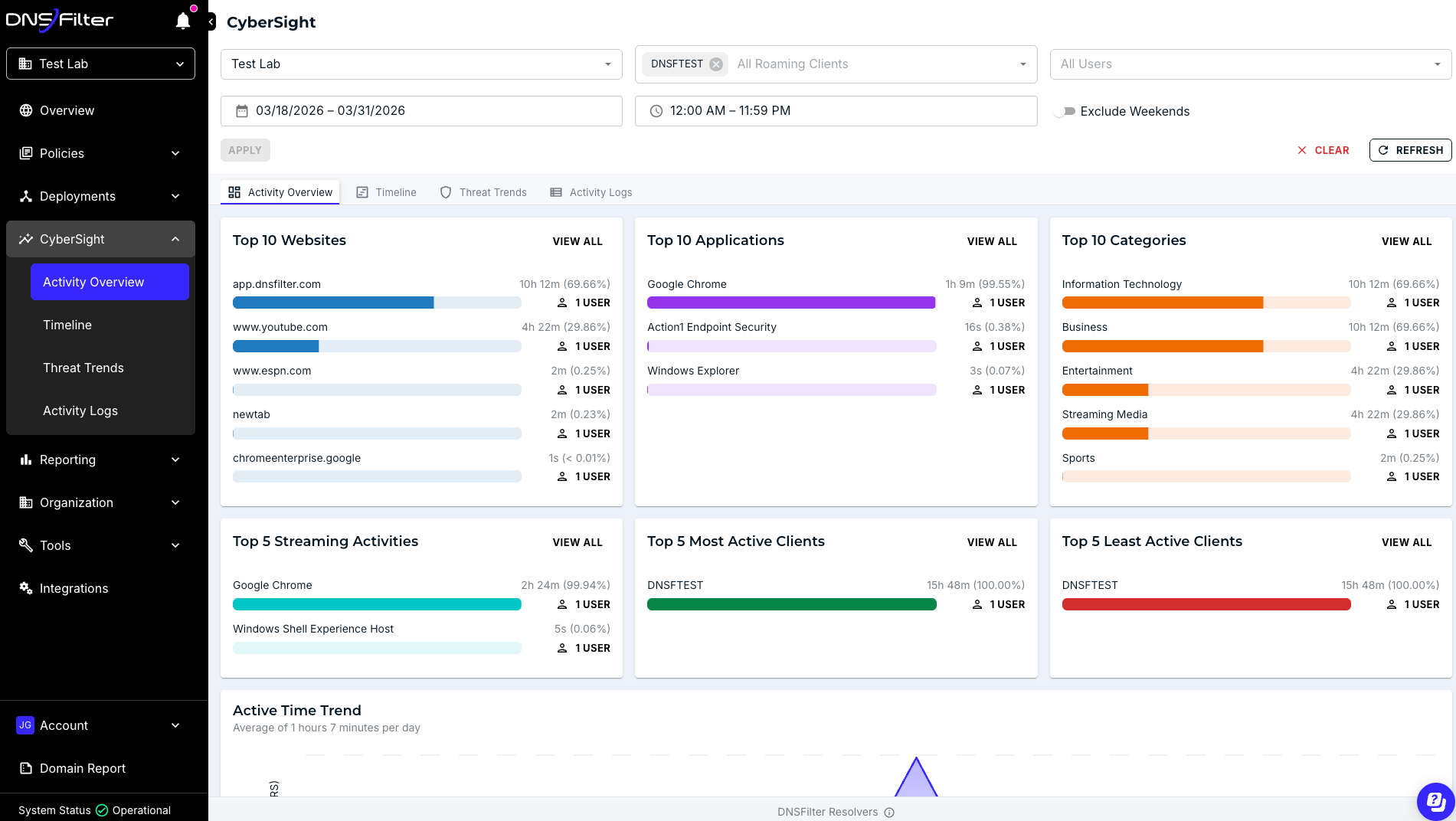
Uncover security weaknesses with DNS activity logs. Gain visibility into customers’ network traffic and security via detailed reporting.

DNS security threats report showing a pie chart of threats by domain and a table listing domains, threat categories, and blocked request counts.

Manage multiple clients from a single dashboard

Manage multiple clients from a single dashboard

Quickly onboard and manage clients from a drop-down menu in the dashboard, which lists everything you need in a single view.

Managed DNS dashboard showing a device list with DNS filtering status, integrations, and a panel for editing custom device properties and DNS filter profiles.

Use cases

Help keep users secure wherever they are

Protect users both on and off-site with a full roaming client that works across Windows endpoints, MacOS endpoints, and both Android and iOS devices. Help secure remote workers, stop cyberthreats, and increase workforce productivity with real-time intelligence.

DNS analytics view showing a donut chart of the top five web categories by request volume, alongside a domain list with request counts.

Scale with easy configuration and rapid deployment

Allow for wider scalability with rapid deployment and configuration. Manage your customers’ accounts, including generating reports, adding/removing networks, and changing policies from a single interface.

DNS security overview dashboard showing global activity map, request metrics, blocked threats, and a time‑based graph of DNS requests.

Show lower risk levels with mitigation reports

The ability to see usage patterns and top destinations across networks allows techs to spot risks faster. Demonstrate your value to customers using hard numbers in easy-to-create threat protection reports.

Schedule reports so you can stay on top of the big picture, but also drill into the finer details.

Endpoint Detection and Response analysis view showing a malware incident timeline, process relationships, and actions taken, with integrations for Microsoft Intune, DNS Filtering, and Endpoint Detection and Response.

Provide a proactive approach to DNS security

N‑able DNS Filtering offers enterprise-grade filtering, no matter the size of your business. Offer robust user protection by combining DNS Filtering with Mail Assure and Endpoint Detection and Response (EDR).

Explore N‑able DNS Filtering

Catch the latest cyberthreats from malicious websites that crop up each day using AI-driven N‑able DNS Filtering. See how it can help technicians view threats from within a single pane of glass—and prevent them before they cause damage to your customers.

  • On- and off-network protection
  • Stable, global network
  • Multitenancy
  • AI-based domain categorization
  • Imagery-based anti-phishing
  • On-demand, drill-down reporting
  • Full custom branding
  • Active Directory Integration

See it in action

“DNSFilter is acquiring and implementing new technologies and we see it in the filtering. It’s just so much smarter.”

Doug Anderson,
Sr. Director of ITS, LA Metro

Why use N‑able?

N‑able offers protection against cyberthreats across the full supply chain—from our own infrastructure to your MSP to your end customers.

Ways to get started

  • Book a demo
  • Talk to sales

Schedule time with a sales engineer

  • Walk through the product
  • Learn how N‑able DNS Filtering can secure your customers online
  • Discuss best practices around deployment and configurations

Connect with our experts

  • Share your challenges and goals and get targeted advice.
  • Find a custom solution to help you get started or help you grow.
  • Get information on pricing.