
Ransomware Recovery Playbook: A 10-Step Guide

By N-able
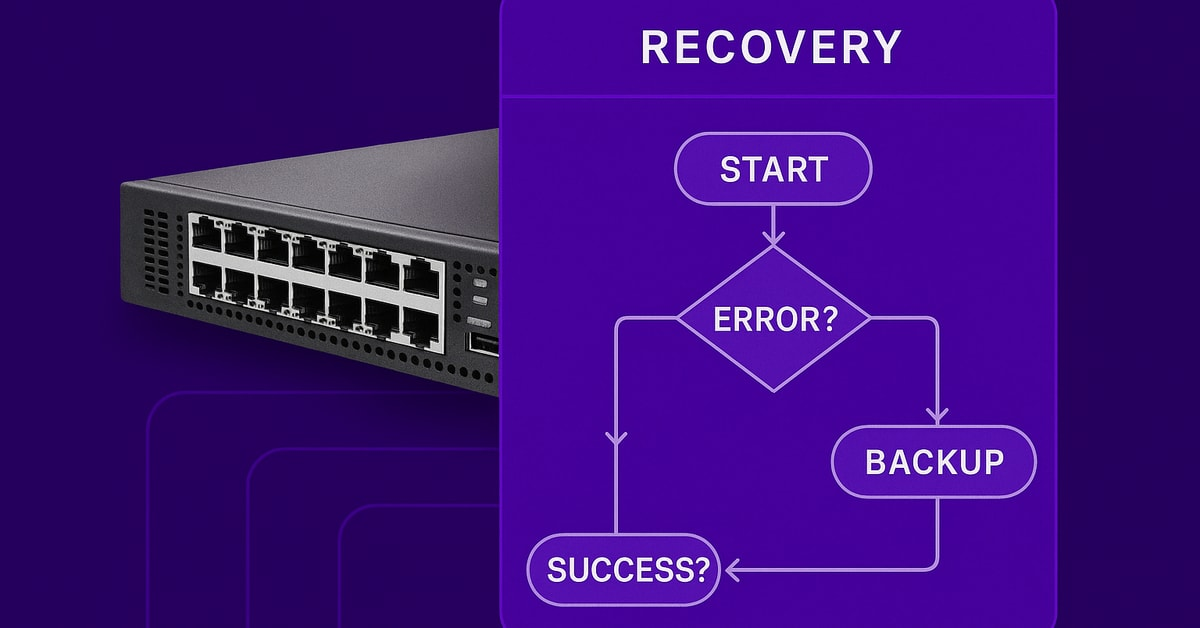
Ransomware recovery follows a predictable sequence: isolate, preserve evidence, validate backups, recover. This playbook walks you through each step so your team can move from “servers are dark” to “business is back” without improvising under pressure.
The stakes are high. Industry reports estimate ransomware downtime costs roughly $274,000 in lost productivity and recovery work alone. Teams without a clear plan lose precious minutes isolating the wrong systems, missing forensic evidence, or scrambling to confirm whether backups are even usable.
With practice, these attacks stop being business-ending catastrophes and become manageable incidents.
The first 30 minutes
These threats pivot fast; you have to move faster. The first half-hour decides whether you’ll be restoring data or filing for bankruptcy. Containment first, recovery later. Lock the blast radius, safeguard evidence, and prove your backups are still yours.
Here’s the sequence that stops small outbreaks from becoming full network meltdowns:
- Isolate affected systems immediately. Yank network cables, disable Wi-Fi, kill VPN tunnels. N-able N-central® gives you automation scripts and remote access to quickly quarantine endpoints across client environments before encryption spreads.
- Disable lateral movement vectors. Block SMB and RDP at the firewall, suspend domain trust relationships. Unchecked lateral movement turns manageable incidents into total shutdowns.
- Alert the incident-response team and capture evidence. Secure chat or phone never compromised email. Start full disk imaging and log exports immediately. Preserved artifacts matter for regulators and future negotiations.
- Verify your last known-good backup and confirm an immutable copy exists. Test before touching production systems. Cove Data Protection™ stores snapshots as immutable Fortified Copies in a cloud-first architecture, making them unalterable or undeletable by attackers.
- Notify leadership and start the regulatory clock. GDPR gives you 72 hours; SEC rules demand public companies file within four days. Time stamps begin the moment you spot the ransom note.
Every minute reclaimed here multiplies downstream shrinking recovery time, slashing costs, and keeping your reputation intact.
10-Step ransomware recovery playbook
Run these ten steps exactly in order and practice them every quarter so you can move from “servers are dark” to “business is back” without improvising under pressure. Each step builds on the last; skipping ahead almost always leads to reinfection or missed evidence.
1. Isolate Infected Systems Immediately
Speed kills malware spread. The moment you spot encryption activity or a ransom note, yank network cables, disable Wi-Fi, and shut down VPN tunnels on the affected segment. First-hour containment determines how much of your environment stays clean. Segment the remaining network into smaller VLANs so lateral movement dies on the vine.
2. Activate Your Incident-Response Team
With isolation in place, page the core responders security lead, infrastructure admin, legal, and communications. Use an out-of-band channel like secure messenger or phone bridges; email on a compromised network is an open mic. Teams that log shave hours off recovery because they aren’t reconstructing events later.
3. Preserve Evidence for Investigation
Before you wipe anything, make forensic images of disks and capture volatile memory. Store originals in tamper-evident media and record every hand-off the chain-of-custody paperwork matters as much as the data itself. Early shutdown risks erases RAM artifacts attackers leave behind. Snap screenshots of ransom notes, copy system logs, and hash everything so integrity can be proven later.
4. Identify the Ransomware Variant
Feed ransom notes, sample encrypted files, or suspicious hashes into tools like ID-Ransomware. Behavioral clues bulk file renames, shadow-copy deletions also point to specific families. Detection methods help you learn whether public decryptors exist or provide attribution to known ransomware crews, which can inform your response strategies.
5. Assess Backup Integrity and Availability
Verify that your safety net is still intact. Scan recent backups offline with up-to-date AV, mount them in a sandbox, and perform a full restore test. Silent failures you only discover when it’s too late. Red flags include missing logs, unexpected backup job deletions, or altered retention settings.
6. Report to Law Enforcement and Regulators
The clock is ticking: SEC gives four business days, GDPR allows seventy-two hours. Open a case with federal or local cybercrime units early so they can supply intel on active campaigns and potential decryptors. Include the variant name, timeline of events, impacted data classes, and preservation steps already taken. That completeness reduces follow-up headaches.
7. Eradicate the Threat Completely
With backups confirmed, hunt every foothold. Run full offline scans using your EDR, then sweep for rogue scheduled tasks, registry autoruns, and persistence tools like Cobalt Strike beacons. Reset all credentials service accounts, VPN keys, even privileged AD users. If even one compromised token survives, reinfection is almost guaranteed.
8. Restore from Verified Clean Backups
Prioritize workloads that keep revenue flowing payment systems before print servers. Stage restores in a quarantine VLAN, let security scan them again, then release to production. Organizations validating backups this way often cut recovery windows from days to hours. Keep restored systems isolated until you’re confident no sleeper binaries remain.
9. Scan for Persistence and Reinfection Risk
Continuous post-restore monitoring prevents re-infection from delayed attack payloads that survive initial remediation. Baseline new system images and track all changes using your SIEM or EDR platform. Re-scan group policies, autorun keys, and newly created user accounts daily for a minimum of two weeks. Attackers often deploy delayed payloads designed to activate after initial remediation efforts conclude. This extended monitoring period ensures your recovery is complete and your environment is genuinely secure before resuming normal operations.
10. Conduct Post-Incident Review and Hardening
Run a blameless debrief within a week. Compare actual timelines to the playbook, calculate MTTR, and identify single points of failure. Feed those lessons into patch management, network segmentation, and tabletop drills so next quarter’s exercise eliminates today’s friction.
Post-Incident Review and Continuous Improvement
Complete the incident response by documenting lessons learned from the attack. Start by building a minute-by-minute timeline. Since you documented every action, timestamp, and team member during the incident, pulling that chronology together should be quick and defensible according to NIST practices.
With the timeline complete, shift to root-cause analysis. Examine the forensic images, chain-of-custody forms, and network logs you preserved according to CISA methods. Find the exact vulnerability, credential, or process gap that opened the door, then document how you’ll close it patches, new controls, or policy changes.
Track your performance metrics: Mean Time to Detect, Mean Time to Recover, and backup success rates. Comparing these numbers after every incident or drill shows whether your defensive capabilities are improving. Update your incident-response plan immediately while details are fresh, then schedule next drills.
Store the refreshed playbook and all its hard-won insights in a documentation tool like Passportal so everyone can access it when seconds matter.
How to Recover from Ransomware with the 3-2-1-1-0 Method
Recovering from these attacks can take days with traditional backups. Cloud-first protection with frequent backup intervals makes it easier to identify the last clean copy of data before the attack, minimizing data loss.
The traditional 3-2-1 rule recommends a foundational backup strategy that industry experts have relied on for decades. This approach, now enhanced to the 3-2-1-1-0 methodology, provides comprehensive protection against ransomware and other catastrophic data loss scenarios. The core principle ensures you maintain sufficient redundancy while addressing modern threats targeting backup systems specifically.
Three – Create multiple copies
Keep at least three copies: the production set and two backups. This redundancy ensures recovery even if one backup fails.
Two – Use diverse storage media
Store backups on separate media so single hardware failures can’t wipe everything at once.
One – Maintain off-site storage
One copy must live off-site or in logically isolated cloud storage where malware can’t reach your safety net.
One – Implement immutable backups
Harden off-site copies with storage that cannot be altered or deleted, even with stolen admin credentials. This stops attackers from corrupting recovery options.
0 – Verify backup integrity
The “0” in “3-2-1-1-0” means zero errors during restore. Schedule routine tests and boot-level checks. A backup that looks healthy but won’t mount becomes another failure point. Verify backups now to catch problems before they matter.
Backup strategies can still stumble. When backups are already encrypted, pivot to an earlier, clean restore point and isolate that repository before bringing it online. Compromised credentials require rotating all backup service accounts and enabling multi-factor authentication immediately. Corrupt data blocks that choke restore jobs need incremental rebuilding, carve out unaffected files first and rebuild piece by piece.
Prevention and Future Hardening
Ten critical controls close the attack paths malicious actors exploit most. If you deploy them systematically, you’ll minimize the impact of ransomware.
Attackers now automate phishing with AI and tailor malware to each target, a shift already visible in IBM findings. Meanwhile, about 15% of breaches start in the supply chain, exploiting partners you thought were safe. Most organizations have incident response playbooks, but fewer than half can execute them effectively. Strong prevention and hardening reduce the need to use them.
Here are the controls that close the most common gaps:
- Multi-factor authentication for every privileged account
- Endpoint Detection and Response (EDR) with real-time rollback
- Network segmentation that quarantines each critical workload
- Least-privilege access policies tied to role, not convenience
- Automated patch management to eliminate “known-good” exploits
- Secure credential vault with automated password rotation
- DNS filtering to block command-and-control domains immediately
- Ongoing security awareness training with phishing simulations
- Immutable, air-gapped backups tested for clean restores
- Quarterly tabletop exercises that pressure-test the entire stack
- Deploy security controls and frameworks like NIST & CIS
- Ensure you are continuously scanning for vulnerabilities and patching them.
Common Recovery Challenges and Troubleshooting
Four roadblocks regularly stall recoveries: compromised backups, undefined infection boundaries, corrupted recent snapshots, and ransom pressure. Here’s how to move past each.
Compromised backup repositories. Attackers target backups first. Cove Data Protection reduces the attack surface with a cloud-native architecture off the network and immutable copies in air-gapped compliant cloud storage.Verify each backup image boots before you need it.
Undefined infection perimeter. Hidden payloads and persistence mechanisms spread throughout networks. Deep EDR scans paired with log correlation expose lateral movement paths. Only bring systems online after verified clean scans—rushing leads to reinfection within days.
Corrupted recent snapshots. Attackers often lurk for weeks, compromising every recent snapshot. Pivot to selective file recovery from older archives while rebuilding from gold images. Validate recovered data on an isolated VLAN before reconnecting to production.
Ransom pressure. Weigh three factors: verified backup availability, regulatory exposure, and data-leak impact. If clean backups exist through Cove’s immutable storage, recovery is almost always faster and cheaper than negotiation.
When recoveries fail, common culprits include mismatched credentials, corrupted volumes, or network throttling. Validate boot media, reset credentials from a clean domain controller, and recover during low-traffic windows.
Resources and Next Steps
Get the critical references ready before the next incident hits. Bookmark the CISA Ransomware Guide and NIST frameworks.
Start a free Cove trial and, after your initial backup completes, test your recovery and integrate the results into your N-able playbook. Review our product documentation, or attend a Head Nerd Boot Camp. Run a tabletop drill, assign clear ownership to every action item, and store your updated plan in Passportal for instant access when crisis strikes.
Frequently Asked Questions
Should we pay the ransom or recover from backups?
Recovery from verified immutable backups is almost always faster, cheaper, and more reliable than paying ransoms. FBI data shows that paying doesn’t guarantee you’ll receive a working decryption key, and organizations that pay experience a second attack. If you have clean backups through Cove’s Fortified Copies or similar immutable storage, focus your resources on recovery rather than negotiation. The exception comes when no viable backup exists and the encrypted data is truly irreplaceable, but even then, payment should be a last resort after consulting law enforcement and legal counsel.
How long does ransomware recovery typically take?
Recovery timelines vary dramatically based on preparation. Organizations with tested immutable backups, documented playbooks, and practiced response teams often recover critical systems within hours. Those without these safeguards face weeks of downtime. The key variables include backup frequency (15-minute intervals versus daily), backup integrity verification, and whether you’ve practiced your recovery procedures. Cove’s TrueDelta technology enables backup intervals as frequent as every 15 minutes, which limits potential data loss and accelerates recovery compared to traditional daily backup windows.
What should we do if our backups are also encrypted?
First, check for older backup generations that predate the attack. Ransomware operators often dwell in networks for weeks before triggering encryption, so recent backups may be compromised while older ones remain clean. If you use Cove, Fortified Copies are stored in isolated, air-gapped cloud storage that attackers cannot access even with stolen credentials. For compromised backup scenarios, prioritize selective file recovery from the oldest clean archive, rebuild systems from gold images, and validate everything in an isolated VLAN before reconnecting to production.
How often should we test our ransomware recovery procedures?
Quarterly tabletop exercises represent the minimum standard for organizations serious about resilience. These drills should simulate realistic scenarios: key personnel unavailable, primary communication channels compromised, and time pressure from regulators. Beyond tabletops, run actual recovery tests monthly. Cove provides automated recovery testing with AI/ML-powered boot verification, validating that your backups will actually work when you need them. Document every test, track your Mean Time to Recover, and update your playbook based on lessons learned.
What compliance deadlines apply after a ransomware incident?
Regulatory timelines start the moment you discover the breach, not when you finish investigating. GDPR requires notification to supervisory authorities within 72 hours if personal data is affected. SEC rules mandate public companies disclose material cybersecurity incidents within four business days. HIPAA-covered entities must notify HHS within 60 days for breaches affecting 500 or more individuals. State breach notification laws add another layer, with most requiring notification within 30-60 days. Document your discovery timestamp immediately and loop in legal counsel within the first hour to ensure you meet all applicable deadlines.
© N‑able Solutions ULC and N‑able Technologies Ltd. All rights reserved.
This document is provided for informational purposes only and should not be relied upon as legal advice. N‑able makes no warranty, express or implied, or assumes any legal liability or responsibility for the accuracy, completeness, or usefulness of any information contained herein.
The N-ABLE, N-CENTRAL, and other N‑able trademarks and logos are the exclusive property of N‑able Solutions ULC and N‑able Technologies Ltd. and may be common law marks, are registered, or are pending registration with the U.S. Patent and Trademark Office and with other countries. All other trademarks mentioned herein are used for identification purposes only and are trademarks (and may be registered trademarks) of their respective companies.